
I moved my whole server off Easypanel with one command, and five things broke
On October 24 I moved 14 projects and 57 services from Easypanel to Tugport with one command. Here's how the move works, the five bugs it found, and the mistake I made the day after.

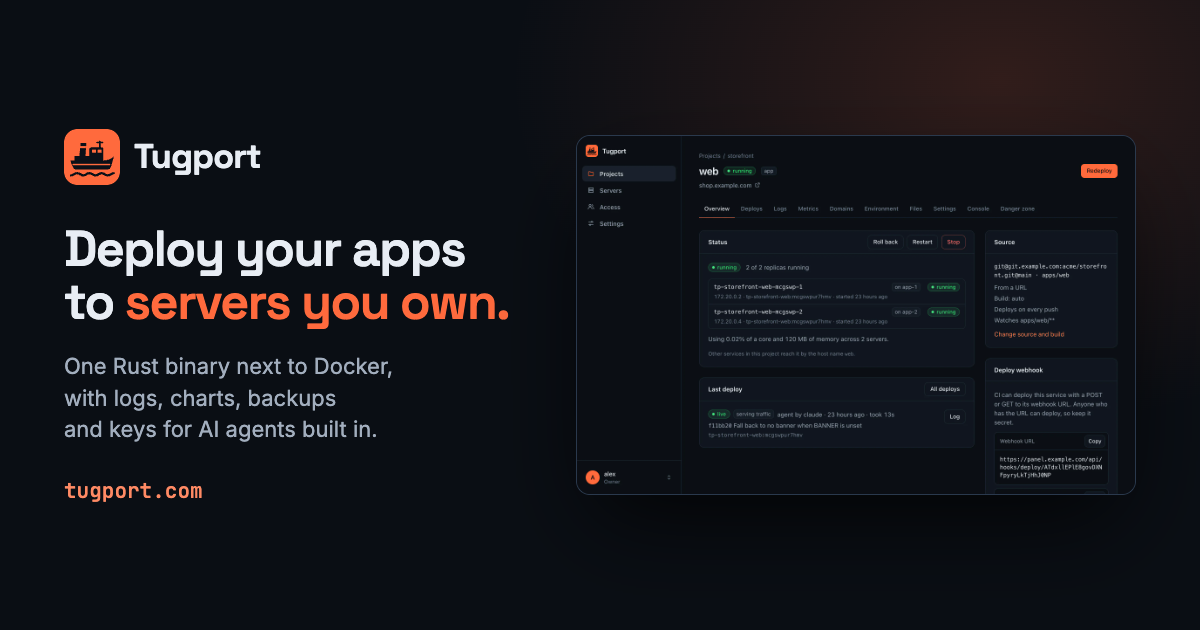
On October 24 I moved my main server from Easypanel to Tugport, the deploy panel I've been building. It's the Hetzner box that runs most of what I make: Telegram bots, my Forgejo and its CI runner, two Ghost blogs (including this one), a game server, and the Postgres, MySQL and Mongo databases behind all of them. That's 14 projects and 57 services, and the move was one command. Five things broke along the way, and I'll go through each of them below.
What Tugport is
Tugport is a single Rust binary that runs next to Docker on a server you own. It builds every git push, switches traffic once the new version is healthy, serves it over HTTPS, and keeps logs, charts and backups. AI agents get their own scoped API keys instead of root. It's MIT-licensed, and moving off Easypanel or Coolify is built in, which is the part this post is about.
The command
First the dry run, which changes nothing and never prints secrets:
tugport migrate easypanel --dry-runIt prints every service, how it maps, what needs attention and what won't move. Then the real thing:
tugport migrate easypanelHere's what happens under the hood, in order:
- Tugport reads Easypanel's state and imports projects, services, environment variables, files, domains, Let's Encrypt certificates and webhook tokens. Nothing runs yet.
- Databases move one at a time: the old copy stops before Tugport's starts on the same data directory, so two engines never write to the same files.
- Apps start next to their old copies, from the exact image the old copy runs, so nothing gets rebuilt during the move. The old proxy keeps serving traffic.
- Then the switch: Easypanel's Traefik stops and Tugport's proxy takes ports 80 and 443 within half a second. If it doesn't answer within 30 seconds, the old proxy comes back and the move stops.
Every step goes into a journal, so a rerun resumes where the last one stopped, and tugport migrate rollback undoes it in reverse. Volumes and bind mounts stay where they are, so no data is copied, and certificates are imported rather than re-issued.
When it finished, 54 services were running on Tugport. The other three had already been scaled to zero in Easypanel, and they came over stopped.
What broke
This was the first production server the migrator moved, and it found five bugs:
- Easypanel's env templates were copied literally. Both Ghost blogs had
$(PROJECT_NAME)and$(PRIMARY_DOMAIN)in their environment, and Tugport passed them through as text. I set them by hand that night, and the migrator now fills them in. - Placeholder domains confused the health checks. Easypanel gives every service a
*.easypanel.hostaddress. Tugport imported those too, so a bot with no web server got a health check waiting on port 80 forever. The migrator skips them now. - "Pool overlaps." My CI runner is a Compose stack that pins its subnet, and the stopped old stack was still holding that network. I removed the old network by hand; now the migrator does it, and recreates it on rollback.
- A harmless "already attached" 409 on rerun was printed as an error. It's cosmetic, but it makes you sweat in the middle of a migration.
- Telegram bots fought over updates. A polling bot started next to its old copy gets 409 Conflict from Telegram until the old one stops. It sorted itself out as soon as the old copy stopped, but the logs looked scary.
The first three were fixed and released the next day.
The day after
The next night the panel lit up with "unhealthy" databases. Load on the server hit 99: four CI jobs were running at once, and Voicy was doing its first build on Tugport, which took about 20 minutes. The database health checks ran every 5 seconds with a 5-second timeout, so they timed out under that load. Nothing restarted, because health checks only mark a service, but I didn't love seeing a wall of red. Databases are now checked every 30 seconds with a 15-second timeout.
Then I made my own mistake. Redeploying the databases to pick up the new health checks pulled the floating mysql:9 tag, and this blog's MySQL quietly went from 9.7.0 to 9.7.4. The blog was down for about three minutes while it upgraded itself. It upgraded cleanly, but now every database image on the server is pinned to an exact version, and the migrator pins moved databases to the exact image they ran under Easypanel. Pin your database images.
Cleaning up
Once everything had run on Tugport for a day, I removed Easypanel for good: 63 swarm services, its networks and its stopped containers. Pruning unused images and build cache freed 21 GB of disk.
Easypanel's backup schedules don't move, so I set up new ones in Tugport: every night, restic backs up 12 databases, 15 volumes and a handful of host folders to S3 Glacier Deep Archive, Amazon's cheapest storage class. The first runs all passed, and so did the test restores.
Deploys now come straight from my Forgejo. Tugport added signed webhooks to 24 repositories, and it honors watch paths, so a service in a monorepo only rebuilds when its own files change. Putting [skip deploy] in a commit message skips the deploy.
What doesn't move
The migrator doesn't move everything, and the dry run lists what it leaves behind: backup schedules, users, notification channels, Easypanel's Box and WordPress services, wildcard domains, and hand-written Traefik routes. If your setup leans on those, plan for them.
Tugport is also young. It has a handful of GitHub stars, and most of the bugs I've fixed so far were found on my own server. Since the move I've shipped twenty releases, and many of them fix things that only a real server full of services could find. That's the honest state of it.
Try it on your server
If you run Easypanel or Coolify, install Tugport and run tugport migrate easypanel --dry-run (or tugport migrate coolify --dry-run). It reads the old panel and prints the plan without changing anything. The migration guide covers what maps to what, and if you'd rather hand the whole move to an AI agent, point it at tugport.com/agents.md. The source is on GitHub.